The AI drafts. You decide.
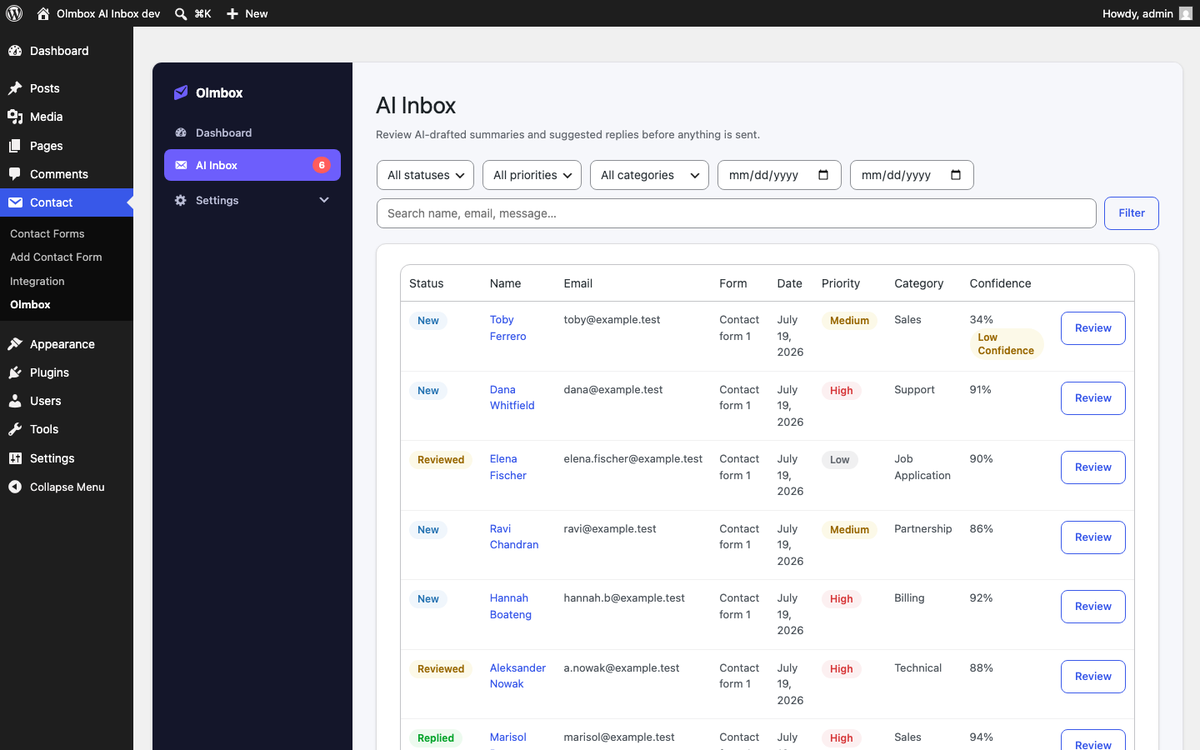
Every Contact Form 7 submission gets an AI-drafted summary, suggested reply, category and priority — in an inbox you review. Nothing is ever emailed to a visitor automatically.
Requires WordPress 6.8+, PHP 8.1+ and Contact Form 7. Free and GPL-licensed.
No visitor is ever emailed automatically
This is the plugin's central guarantee, not a setting you have to find and switch off. AI-generated text reaches a person only after you have read it and clicked send. Everything else is a draft sitting in your inbox.
How it works
A visitor submits your form
Contact Form 7 sends its own notification exactly as it always has. Nothing about your existing setup changes.
The submission is analysed
It goes to the provider you configured and comes back as a summary, a drafted reply, a category, a priority and a confidence score.
You review and decide
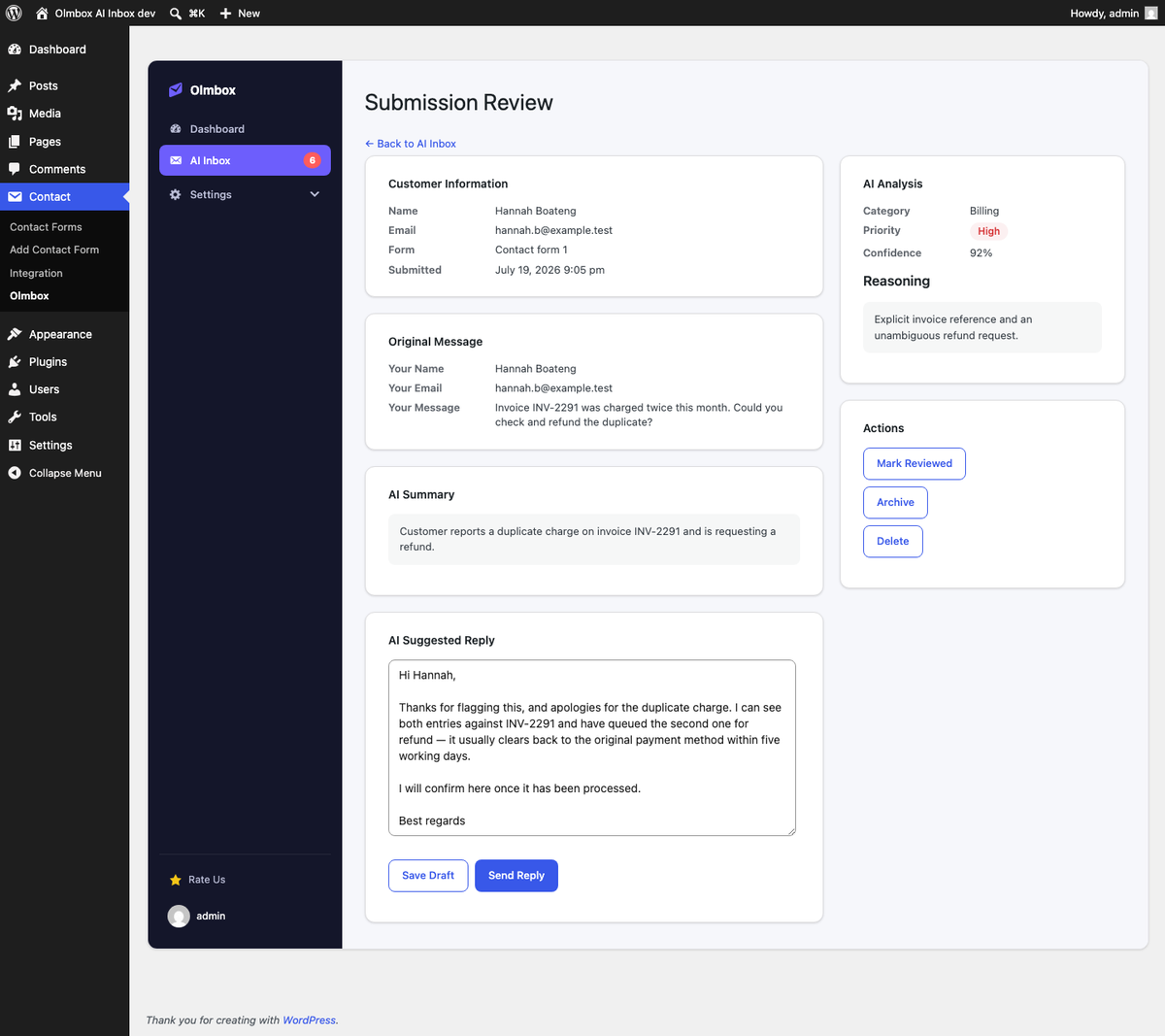
Read the original alongside the draft, edit anything, then send when you are ready. A confirmation step stands between you and every send.
A review screen, not an outbox
Every submission gets its own page: the message exactly as it was sent, the AI's summary, an editable draft reply, and the reasoning behind the classification — so you can judge the suggestion instead of trusting it.
- Save a draft and come back to it later.
- Mark reviewed, archive, or delete outright.
- Filter and search by status, priority, category or date.
- Only the most recent 200 submissions are kept, pruned automatically.
What you get
Nothing sends itself
At submission time the plugin only ever logs a row. The one code path that emails a visitor runs on an explicit, confirmed click in the inbox — never on a schedule, never in the background.
One request, five outputs
Summary, suggested reply, category, priority and a confidence score come back from a single API call per submission, so richer triage does not mean a bigger bill.
Your key, your provider
Bring an OpenAI, Anthropic, Gemini or OpenRouter key. Nothing is resold, no request is made before a key is configured, and no telemetry is collected.
Low confidence is flagged
When the model is unsure, the row is marked so you look closer before replying — rather than a confident-sounding draft slipping through unread.
Contact Form 7 stays untouched
It hooks CF7 public actions only. Your existing notification emails, validation and spam filtering keep working exactly as before.
Failures degrade quietly
If the provider is down, the submission is still captured and still appears in the inbox — just without the AI analysis, and it tells you why.
Bring your own key
Olmbox does not include or resell AI access. Choose a provider, paste your own key, and pick a model from a list loaded live from that provider.
OpenAI
GPT models
Anthropic
Claude models
Google Gemini
Gemini models
OpenRouter
Routes to many models
Keys are encrypted at rest in your own database and never exposed to the frontend. Read the privacy details.
Put your form submissions in order
Install it alongside Contact Form 7, add your API key, and start reviewing drafted replies instead of writing every one from scratch.