Configuration
Choosing a provider, picking a model, and shaping the AI's output.
Choosing a provider
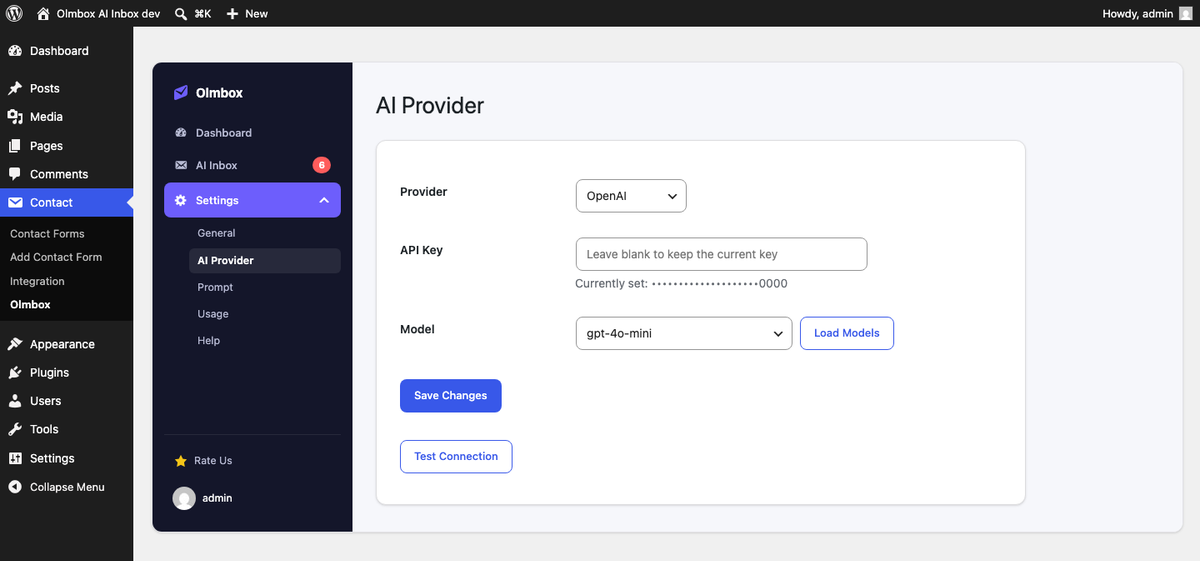
Four providers are supported. All of them use a key you supply, billed to your own account.
| Provider | Notes |
|---|---|
| OpenAI | GPT models |
| Anthropic | Claude models |
| Google Gemini | Gemini models |
| OpenRouter | Routes to many underlying models |
Once a key is saved, the Model field becomes a dropdown populated live from that provider’s API, so you can pick a model by name rather than typing an identifier from memory.
How your key is stored
The key is encrypted before it is written to the WordPress options table, using a key derived from your site’s own authentication salt. It is never printed to a page, included in a script, or returned from a REST response — the settings screen shows only a masked form of it.
This protects against the options table leaking on its own: a database backup that
goes astray, a read-only SQL disclosure bug, or a contractor with database access. It
does not protect against someone who can also read wp-config.php on the same
server, because the salt lives there. That is the same bar most WordPress plugins
hold API keys to, and it is worth being precise about rather than overselling.
The system prompt
The Prompt tab holds the base instruction sent with every analysis. The default is deliberately plain, and editing it is the main lever you have over tone and house style — for example instructing the model to always sign off with your company name, or to keep replies under a certain length.
Two things to know:
- The prompt is capped at 2,000 characters.
- Reset restores the shipped default if you want to start over.
Changing the prompt affects future submissions only. Rows already in the inbox keep the analysis they were generated with.
Cost and usage
Olmbox makes one request per submission. The summary, suggested reply, category, priority, confidence score and reasoning all come back in a single JSON response, so five pieces of output cost one API call rather than five.
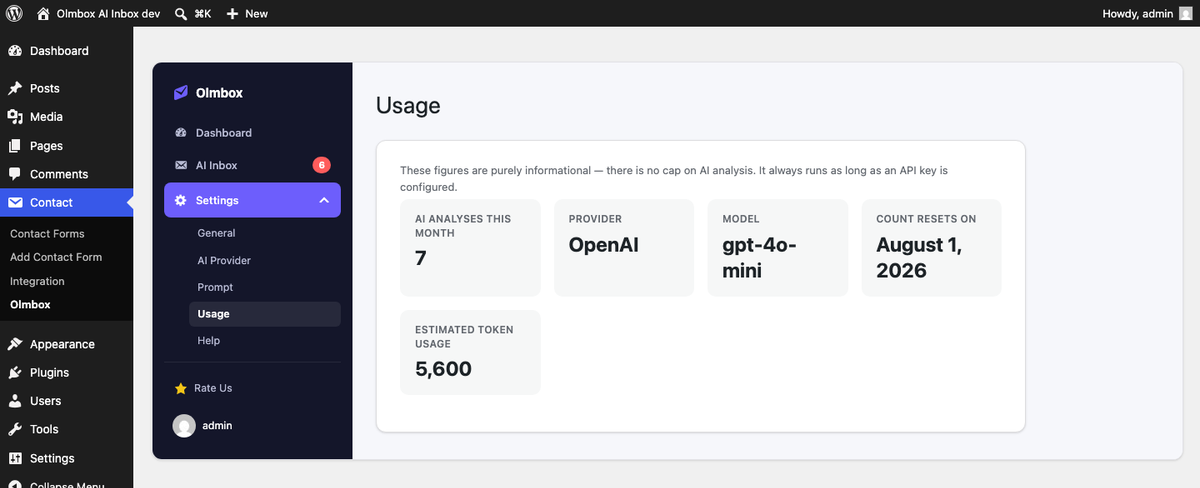
The Usage tab shows how many analyses have run this month and a rough token estimate. These figures are informational — Olmbox does not cap or throttle analysis, and it does not have access to your provider billing. Treat the provider’s own dashboard as the source of truth.
Which forms are analysed
Only the forms ticked on the General tab. This is worth being deliberate about: a high-traffic newsletter signup form will generate an API call per submission for very little benefit, while a support or sales enquiry form is where the drafting actually saves time.